Background
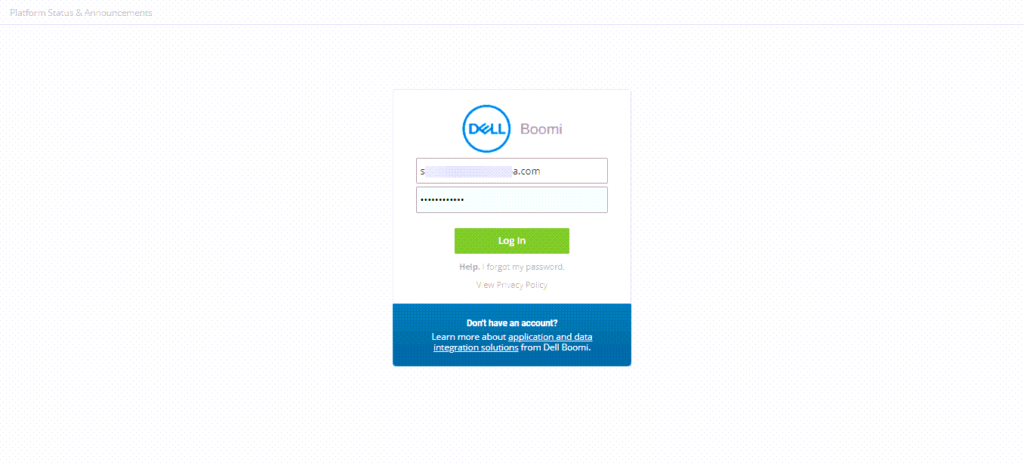
The sign in workflow was outdated, non-responsive, and failed to meet accessibility standards.
Key collaborative partners: Design Technologist, Security Operations Lead
Supporting resources: Strategic Writing for UX by Torrey Podmajersky, Don’t Make Me Think, Revisited by Steve Krug
Landing screen, before:
Approach and solution
Goal: Develop a responsible, accessible sign in workflow that matched existing brand and platform standards.
As part of the initial prototyping, I considered several open questions related to our voice persona. From that initial draft, we started asking questions to fine tune the voice persona. For example: Do we use contractions? End headings that are complete sentences in periods?
After the initial prototype, we created a Google Sheet that contained the various pages – the landing page, the reset password page, the single sign-on (SSO) version of the landing page – and the error scenarios associated with each page.
Additionally, we worked closely with our security team to ensure we weren’t introducing security vulnerabilities with our work.
Landing screen, after:
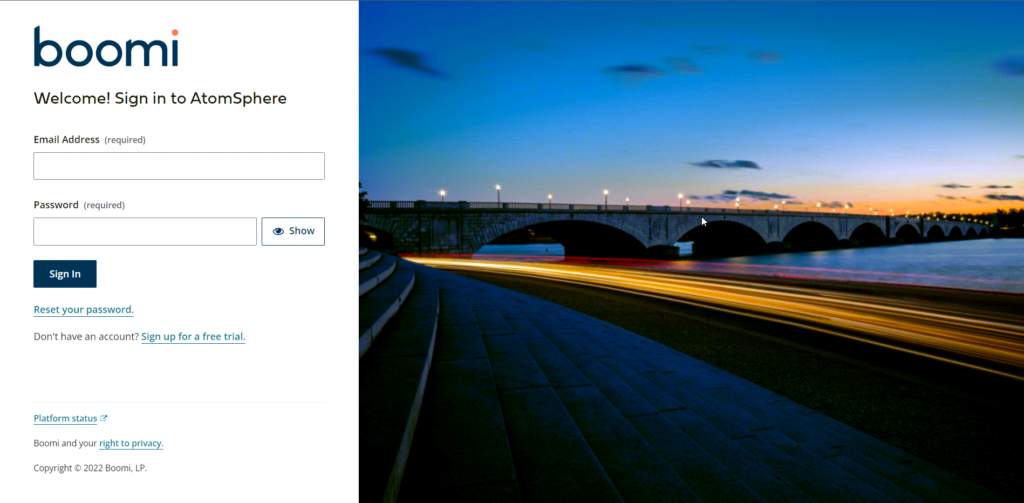
Live version of the sign in experience: https://platform.boomi.com/
Lessons learned and takeaways
By including the security team, we ensured that we weren’t introducing security vulnerabilities in the sign in workflow. Including security upfront during the design phase allowed us to balance providing relevant information to users and keeping those accounts secure from potential hackers without requiring several iterations.
Countless hours were saved by having joint design sessions between the Design Technologist and me for us to work through various task flows. It was critical to talk through and account for all of the task flows and scenarios that a user could experience, and the Google Sheet helped us talk through and design all scenarios.